Your card measured to the millimetre before you send it for grading.
Kartometro tells you what grade your Pokémon card can get under PSA and TAG criteria, and shows you where it loses points. Everything runs on your phone; your photos never leave it. The app is available in English and Spanish.
Estimate based on the published PSA and TAG rubrics. Not an official grade. Does not authenticate cards or give prices.

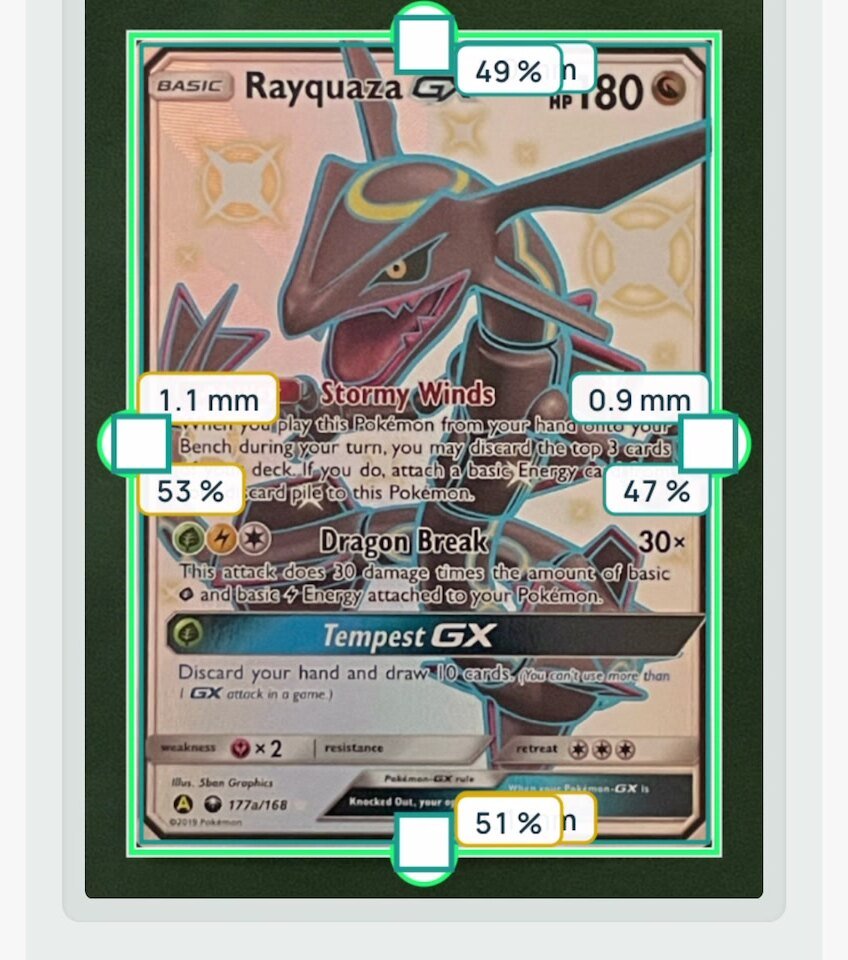
53 % · 47 %, within the PSA 10 cap
Get updates
Kartometro is in beta and free. Leave your email and we'll tell you about improvements and ask what to change. Nothing else: no ads. Optional: the app works the same without leaving your email.
Three steps. Two automatic, one with you.
-
1
Photo of the front and the back.
Centering to the millimetre, edge straightness and dimensions. Automatic.
-
2
Corners and surface.
Corners with a guide. For the surface, a short video with your flashlight: on non-holo cards I suggest a grade and you confirm it; on holos I show you the glare-free surface and you rate it.
-
3
Card report.
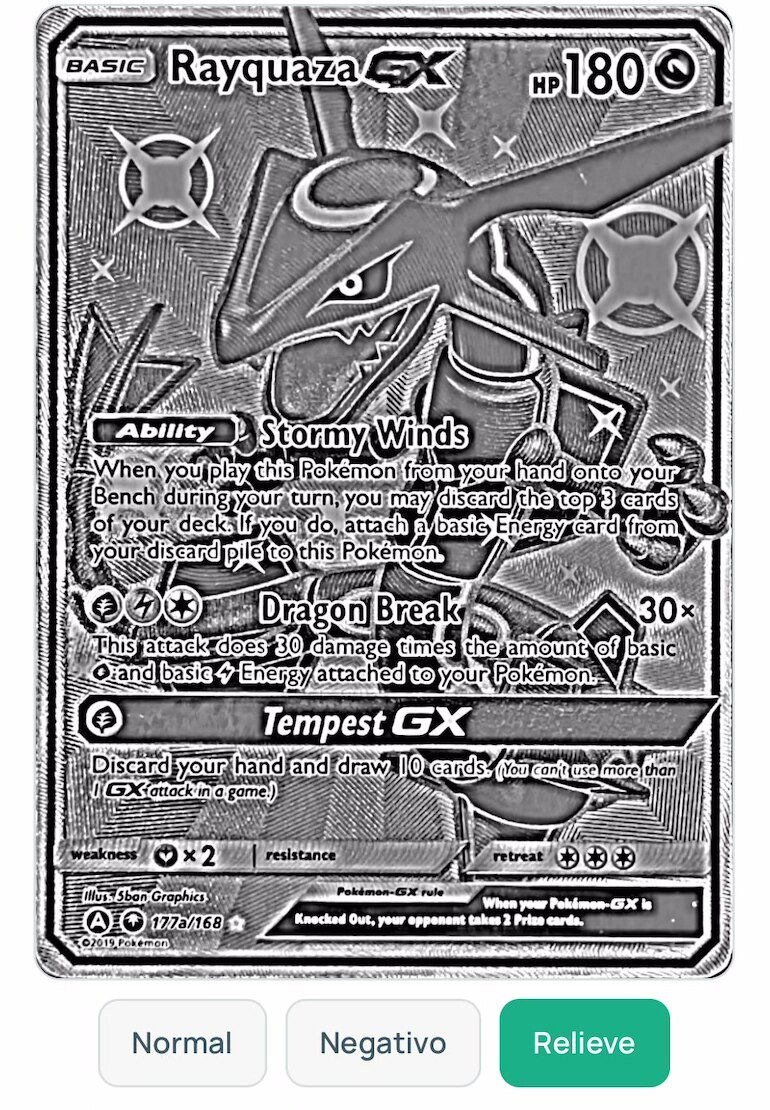
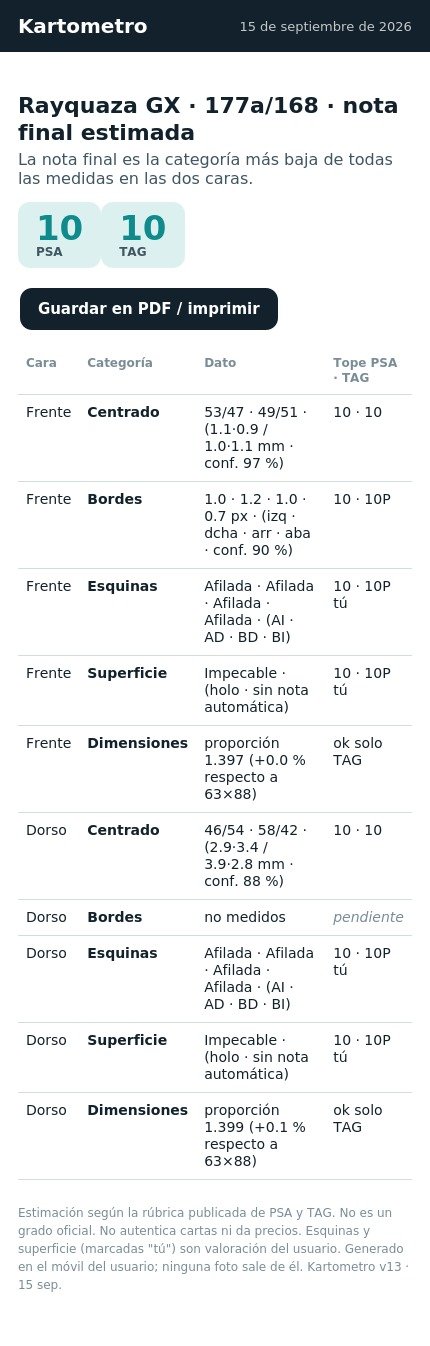
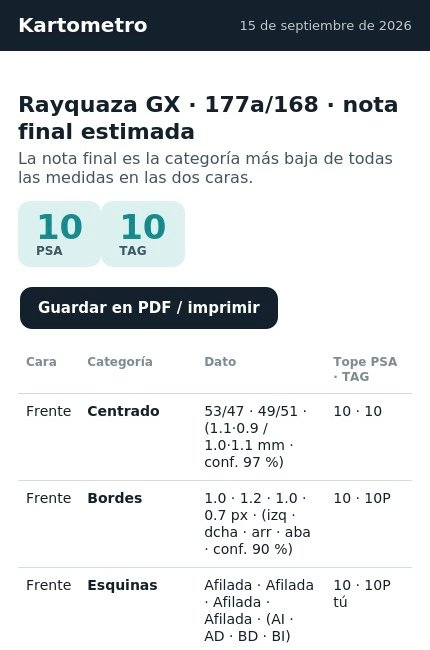
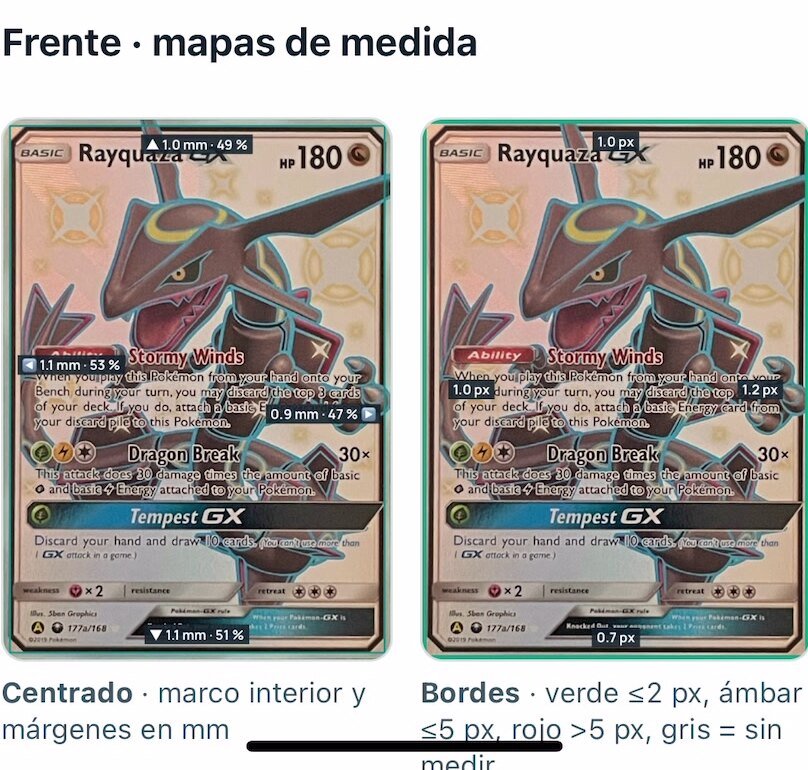
A table with both sides, each category with its PSA and TAG cap, measurement maps and the final grade. If I could not measure something, I say so.
Same card, two verdicts.
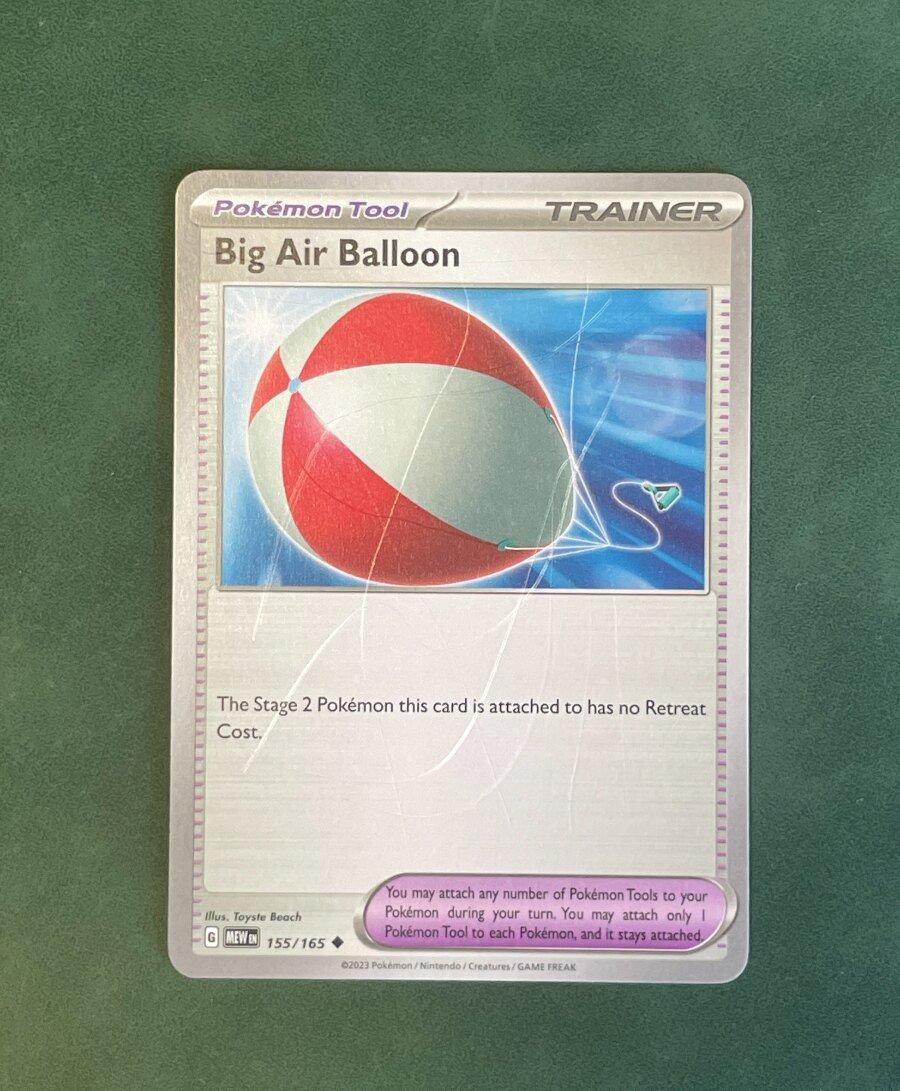
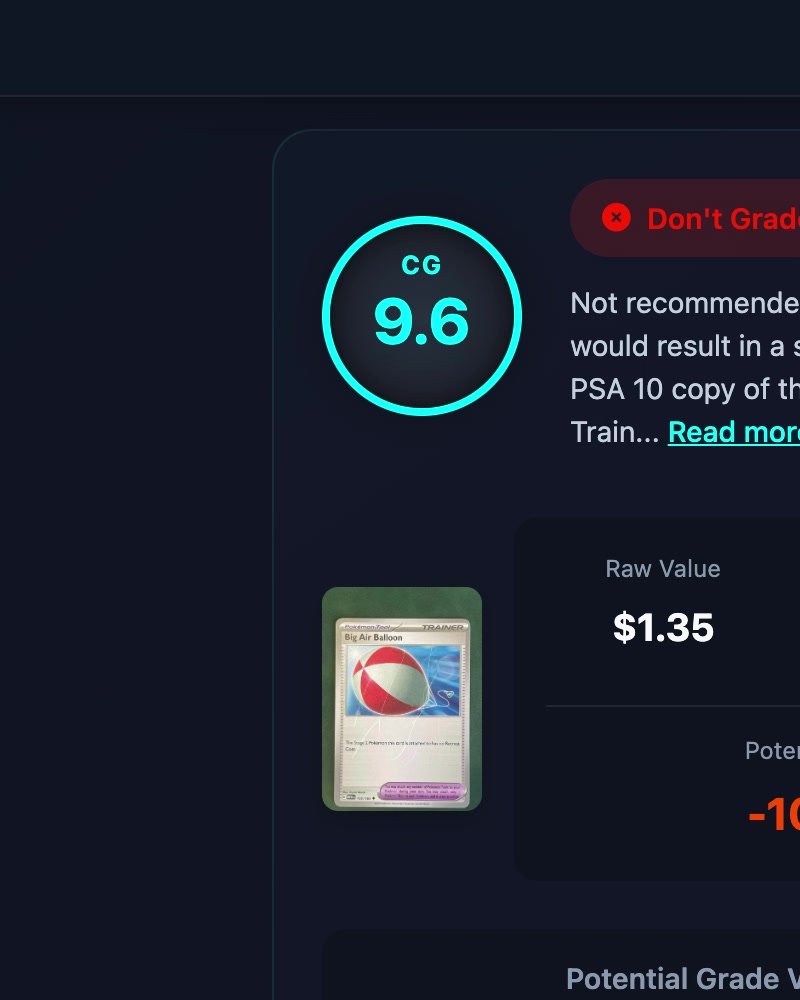
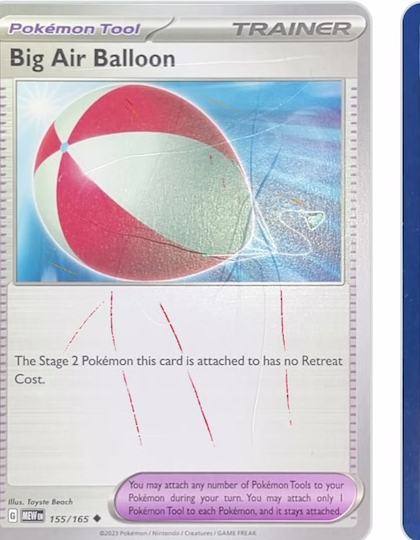
A Big Air Balloon with scratches you can see with the naked eye. A competing scanner gives it a 9.6 and mentions slight wear on one corner. Kartometro classifies it as clear scratches and shows you where.
Kartometro measures. It does not guess.
Competing scanner
9,6
“Slight wear on one corner.” Suggests PSA 9.
 Kartometro
Clear scratches
Grooves marked in red, 104 mm in total. Surface grade: 4.
What it measures and what it asks of you.
What a camera can measure, I measure. What needs a human eye, I put in front of you with a guide. On holos the foil flashes just like a scratch, so you rate the surface yourself.
The report: a table, maps and the final grade.
The final grade is the lowest category across both sides. Each row shows its measured value and its PSA and TAG cap. What I could not measure appears as “pending”, not as a number.
Why trust it.
not measured
I tell you when I am unsure.
An edge without contrast comes out as “not measured”, not with a made-up number.
10 · 10
PSA and TAG criteria.
I apply their public tolerances, with each one’s differences, side by side.
0 uploads
Everything on your phone.
Photos, videos and reports are processed and stored on your phone.
How to prepare photos and videos.
The measurement is only as good as the capture. Five rules and 4–6 minutes per side for the surface.
Photos (centering, edges, corners)
- ✓Camera straight from above, the card filling the frame.
- ✓Even ambient light, no flash.
- ✓Back of the card on a light, matte background that contrasts with the edge.
- ✓Nothing touching the card: no fingers, no other cards, no table edge.
- ✕Flashlight: it creates glare that ruins the measurement.
Videos (surface)
- ✓Record with the phone’s Camera app in 4K and upload from the gallery.
- ✓Low-angle flashlight, moved slowly around the card.
- ✓Lock exposure and focus: press and hold on the card in the Camera app (AE/AF LOCK).
- ✓A single light source: lower the blinds or move away from the window.
- ✓Card still on the table; 4–6 min of analysis per side.
- ✕Recording from the browser: lower quality, fails more often.